


If you run production across more than one site, you already know how this goes. The components are at one plant, the finished goods are selling out of another warehouse, and the spreadsheet that ties it all together only makes sense to one person.
Get it wrong and a missing $2 fastener stops a production line, while cash sits in slow-moving stock at the wrong location.
This guide compares six inventory planning tools for small and mid-sized manufacturers running two or more sites. We've been upfront about where each one fits, including where StockTrim isn't the right choice.
Short answer: For small and mid-sized manufacturers, StockTrim is the best fit if you want location-level forecasts and multi-level BOM planning on top of the inventory system you already use, without an enterprise project. Cin7 suits businesses that want to replace their whole inventory system. Netstock suits mid-market teams on a supported ERP. Kinaxis and e2open are built for large enterprises with dedicated planning teams.
Quick guide: 6 best inventory software for multi-site manufacturers
- StockTrim: Best overall for SMB manufacturers that need location-level forecasting and multi-level BOM planning on top of their current system
- Cin7: All-in-one inventory and order management, with forecasting available as an add-on
- Netstock: Demand and supply planning for mid-market businesses running an ERP
- Inventory Planner by Sage: Forecasting and replenishment built for ecommerce and retail brands
- Kinaxis: Enterprise supply chain planning for large, complex operations
- e2open: Multi-echelon inventory modeling for global supply networks
How we chose the best inventory software for multi-site manufacturers
We looked at each tool from the point of view of a manufacturer running two or more production sites, warehouses, or distribution points. Here's what we checked:
- Location-level planning: Can it forecast each site on its own sales history, while still giving you one overall view?
- Multi-level BOM support: Can it turn a finished goods forecast into component and raw material orders, including sub-assemblies?
- Forecast accuracy and transparency: Does it handle seasonality and trends, and can you see how it got each number?
- Lead time flexibility: Can you set different lead times per product and supplier, and does the plan update when they change?
- Purchase order automation: Does it create purchase orders, or just hand you a list to retype?
- Setup effort: Can a small team get it running without an IT department or a consultant?
- Fit with your current systems: Does it work with the ERP or inventory system you already have, or ask you to replace it?

The 6 best inventory software for multi-site manufacturers
1. StockTrim: Best overall for SMB multi-site manufacturers
StockTrim is a cloud-based inventory planning tool for small and mid-sized product businesses. It connects to the inventory, ERP, or accounting system you already use, reads your sales history, stock levels, and purchase orders, then tells you what to order, how much, and when.
It doesn't replace your inventory system. It sits on top of it and does the planning work your system can't.
How StockTrim handles multiple sites
Filter the order plan by location and you see forecasts and order quantities for that site only, based on that site's stock levels and that site's sales history. Or stay at the product level and expand each product to see its forecast per location.
Settings like service levels, safety stock, and lead times can be set once at the overall level or separately for each location. So your busy main plant and your smaller regional site don't have to share the same rules.
StockTrim also works with the two common ways multi-site businesses buy stock:
- Order direct to each site: The location quantities become your purchase order lines, and suppliers deliver straight to each site.
- Order to a central hub: Everything comes into one location first, and the location quantities become the branch transfers you send out to each site.
How StockTrim handles bills of materials
With the Raw Materials Forecasting and Multi-Level BOMs add-on, StockTrim forecasts demand for your finished goods, then works back through your bill of materials to calculate how many of each component and raw material you need. Component forecasts are simply finished goods demand multiplied by the BOM quantity, so the logic is easy to check.
You can expand the whole hierarchy, from a finished product down to sub-assemblies and their parts. Or search for a single component and see every product it goes into, which is handy when one part is shared across your range.
Here's a simple example. You make an outdoor chair at two sites. Site A forecasts 400 chairs next quarter and Site B forecasts 250. Each chair uses 8 of the same stainless bolt. That's 5,200 bolts in total before safety stock: 3,200 for Site A and 2,000 for Site B. Change a supplier's lead time from 30 to 60 days, and the order dates and quantities update straight away.
Shoreline Truck Parts, a Michigan manufacturer with products containing 50 or more parts each, used to plan around 600 SKUs in spreadsheets and missed the small components. "StockTrim has helped us to see how many of each component part we're using throughout all our different offerings and allowed us to better plan how we order those," says president Bennett Allen. Their weekly inventory review now takes 30 to 40 minutes, less than half what it used to.
StockTrim features for multi-site manufacturers
- Multi-location planning: Forecast and plan every warehouse, factory, or distribution center from one screen, with settings per location. Included on all plans.
- Multi-level BOM forecasting: Turn finished goods forecasts into component, ingredient, and raw material orders, including sub-assemblies and bundles. Available as the Raw Materials Forecasting and Multi-Level BOMs add-on.
- Variable lead times: Set lead times per product and supplier, then recalculate instantly when a supplier gets slower or faster.
- Detailed demand analysis: See the sales history, seasonality, and calculation behind every recommendation, so you're never ordering off a number you can't explain.
- Automated purchasing workflows: Turn the order plan into purchase orders, then send them to suppliers or push them back into your inventory system.
- New product forecasting: Forecast products with no sales history using patterns from similar products.
- Inventory Journal: A searchable audit trail of your purchasing decisions, so you can see who ordered what and why.
- Unlimited users and SKUs: Add your team at every site without paying per seat.
StockTrim pricing
StockTrim publishes its pricing, and it's based on your annual revenue. For example, a business doing $3M to $5M a year pays $298 per month on an annual plan, with the BOM add-on at $90 per month on top. There's a 14-day free trial with no credit card needed. See the pricing page for your revenue band.
StockTrim pros and cons
Pros:
- Built for SMBs, with published pricing and 90% of users up and running in under an hour
- Works with the system you already have: 20+ direct connections including Katana, Fishbowl, Acumatica, NetSuite, Odoo, Unleashed, and Cin7, plus CSV import and an open REST API
- Independent, so you're not locked into one software vendor's ecosystem
- Transparent forecasting, so your team can see and trust the reasoning behind every order
Cons:
- Focuses on planning and purchasing, not production scheduling or shop floor management
- No warehouse operations like bin locations or pick, pack, and ship. Your inventory system still handles those.
- Multi-level BOM forecasting is a paid add-on, not part of the base plan
2. Cin7: All-in-one inventory management with add-on forecasting
Cin7 (Cin7 Core and Cin7 Omni) is an inventory management system rather than a standalone planning tool. It covers stock control, order management across sales channels, warehouse operations, and production with bills of materials.
Its forecasting tool, ForesightAI, is an add-on that forecasts demand and suggests purchases, transfers between locations, and assemblies. Cin7 Core also offers materials requirements planning (MRP) as a separate add-on.
Worth knowing: Cin7 and StockTrim aren't either-or. StockTrim connects directly to both Cin7 Core and Cin7 Omni, and plenty of StockTrim customers run Cin7 as their inventory system with StockTrim doing the forecasting.
Cin7 features
- Production and assembly: Define bills of materials and manage production and assembly jobs.
- Multi-channel order management: Pull orders from ecommerce stores, B2B portals, and EDI into one system.
- Warehouse operations: Pick, pack, and ship workflows with bin location tracking.
- ForesightAI (add-on): Demand forecasting with reorder suggestions per location.
Cin7 pros and cons
Pros:
- Inventory, orders, warehouse, and production in one platform
- Strong B2B and EDI support for wholesale channels
- Forecasting sits inside the same system as your stock records
Cons:
- Only works if Cin7 is your inventory system, so it means replacing what you have now
- Forecasting and MRP are add-ons on top of the base subscription
- A broad platform takes more time to configure than a focused planning tool
3. Netstock: Demand and supply planning for ERP users
Netstock is a planning tool that connects to your ERP and adds forecasting, inventory classification, and replenishment on top. It supports BOM-level forecasting for manufacturers and plans demand across locations, including central warehouses supplying other sites.
Netstock features
- Inventory classification: Segments products by demand and value so you know where to focus.
- BOM-level forecasting: Forecasts components and raw materials, not just finished goods.
- Supplier management: Tracks supplier reliability and adjusts safety stock to match.
Netstock pros and cons
Pros:
- Direct ERP connections, including NetSuite
- Solid manufacturing and multi-location planning
- Dashboards for fill rates, excess stock, and supplier performance
Cons:
- Built around ERP environments, so it's a weaker fit if you run a lighter inventory or accounting system
- Aimed at the mid-market, which can mean more setup than a small team wants to take on
4. Inventory Planner by Sage: Forecasting for ecommerce and retail
Inventory Planner, owned by Sage, forecasts demand and builds purchase orders for ecommerce and retail brands. It connects to Shopify, Amazon, and other retail platforms, and can plan replenishment per warehouse, including transfers and assembly orders for kits and bundles.
Inventory Planner features
- Sales-based forecasting: Uses sales history across channels, with trends and seasonality.
- Replenishment and purchase orders: Calculates what to reorder and turns it into purchase orders.
- Variant-level forecasting: Plans by size, color, and style for large catalogs.
Inventory Planner pros and cons
Pros:
- Strong connections to Shopify, Amazon, and retail channels
- Variant-level planning suits apparel and multi-option products
- Per-warehouse planning with transfer orders
Cons:
- Designed around retail and ecommerce workflows first
- Assembly planning is built around kits and bundles, so test it against a deep multi-level BOM before you commit
5. Kinaxis: Enterprise supply chain planning
Kinaxis is supply chain planning software for large enterprises with complex, global operations. It combines demand planning, supply planning, inventory optimization, and scenario modeling, and it's typically run by a dedicated planning team.
Kinaxis features
- Concurrent planning: Model and compare supply chain scenarios side by side before committing.
- Demand and supply planning: Balances demand signals against supply constraints.
- Control tower dashboards: One view of the end-to-end supply chain for spotting disruptions.
Kinaxis pros and cons
Pros:
- Handles very complex, global supply chains
- Scenario planning helps teams test decisions before making them
- Deep integration with enterprise ERPs like SAP and Oracle
Cons:
- Scope, cost, and complexity don't match most SMB manufacturers
- Needs a dedicated planning team to run
- No self-service setup; onboarding is usually a professional services project
6. e2open: Multi-echelon planning for global networks
e2open focuses on multi-echelon inventory optimization. It models stock across every tier of a supply chain, from suppliers to factories to distribution centers, to find the most cost-effective place to hold inventory.
e2open features
- Multi-echelon optimization: Balances service levels and carrying costs across every node in the network.
- Supply chain visibility: Tracks inventory and shipments across your supplier network.
- Demand sensing: Adjusts near-term forecasts using short-term market signals.
e2open pros and cons
Pros:
- Optimizes inventory across the whole network, not just product by location
- Supplier collaboration tools at large scale
- Demand sensing for fast-moving markets
Cons:
- Built for enterprises with thousands of supply chain nodes
- Implementations typically run for months, at enterprise cost
- Assumes a dedicated supply chain planning team
Comparison table: The best inventory software for multi-site manufacturers
| Platform | Best for | Multi-level BOM forecasting | Location-level forecasting | Works with your current system |
|---|---|---|---|---|
| StockTrim | SMB manufacturers and distributors | Yes (add-on) | Yes, all plans | Yes, 20+ connections plus CSV and API |
| Cin7 | Brands wanting one all-in-one system | Production BOMs; forecasting via add-on | Yes, via add-on | No, it replaces your inventory system |
| Netstock | Mid-market businesses on an ERP | Yes | Yes | Yes, ERP-focused |
| Inventory Planner | Ecommerce and retail brands | Kits and bundles | Yes | Yes, retail-focused |
| Kinaxis | Large enterprises | Yes | Yes | Enterprise ERPs |
| e2open | Global supply networks | Network-level (multi-echelon) | Yes | Enterprise ERPs |
What makes multi-site inventory planning different?
With one location, the math is simple: total demand is what you need to stock. Add a second site and that falls apart. Each location has its own customers, its own demand pattern, and often its own suppliers and lead times.
A product flying off the shelf at one site can sit untouched at another. If your planning only looks at totals, the numbers look fine overall while one site runs short and the other overflows. You end up paying for emergency freight or transfers to fix a problem the forecast should have caught.
Location-level forecasting fixes this by forecasting each site from its own sales. Then you decide how to fill the gap: order straight to each site, or order to a central hub and transfer out.
How does BOM forecasting prevent component shortages?
A bill of materials lists every part that goes into a finished product. Forecasting finished goods alone isn't enough, because you buy components, not finished products. If you make 500 units that each need 12 parts from 6 suppliers with different lead times, working that out by hand gets messy fast.
It gets harder when parts are shared. If three products all use the same component and demand rises for two of them, a spreadsheet that plans product by product can miss the combined jump. BOM forecasting adds up the demand for that part across everything it goes into, so you see the shortage before it stops the line.
That protects you from both expensive mistakes: over-ordering cheap parts that tie up cash, and under-ordering one critical part that halts production.
How to set up StockTrim for multiple sites
Here's the order we'd recommend:
- Connect your system. StockTrim pulls in products, sales history, purchase orders, locations, and your bills of materials.
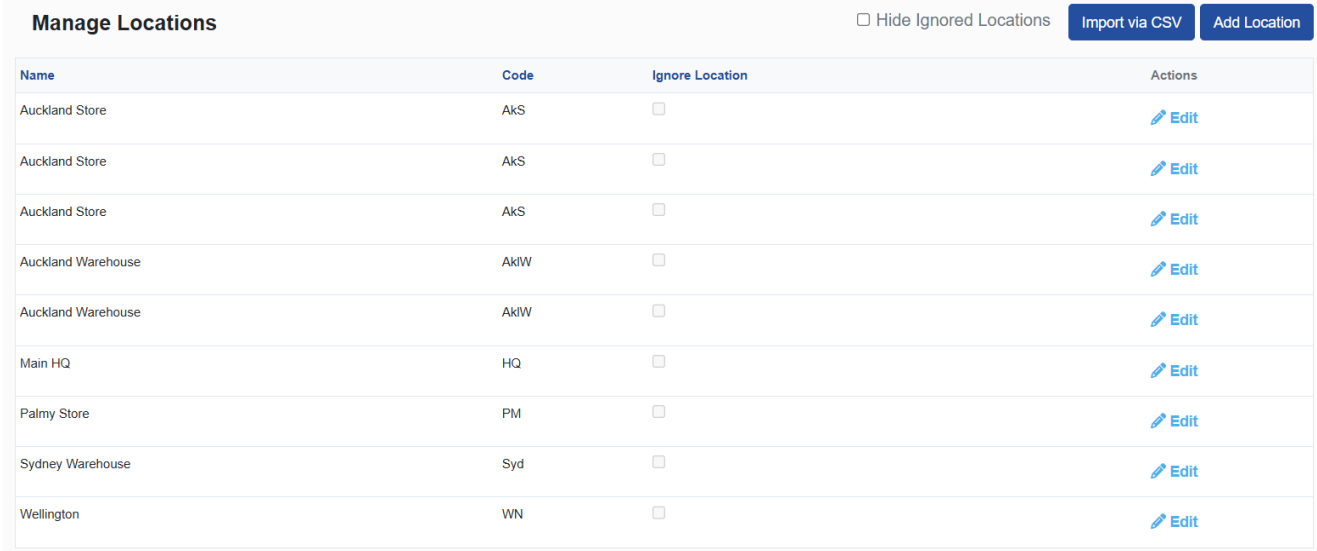
- Turn on location view. If you can't see per-location breakdowns in the order plan, switch them on under Settings, then Features.
- Set rules per site. Adjust lead times, service levels, and safety stock for each location where they differ.
- Include components by location. If you hold parts at more than one site, turn on location analysis for components in the manufacturing settings. It's off by default.
- Match how you build. If you assemble to order, count component stock toward finished goods. If you build ahead, count finished goods stock toward components. Both options are in the manufacturing settings.
- Review weekly. Check the order plan, approve the purchase orders, and send.
Why StockTrim is the best inventory software for multi-site manufacturers
Most tools fall into one of two camps. Enterprise platforms like Kinaxis and e2open have deep planning power but need big teams, long rollouts, and big budgets. All-in-one systems like Cin7 bundle planning in, but only if you move your whole operation onto them.
StockTrim fills the gap. You keep the inventory system your team already knows, and add location-level forecasting, multi-level BOM planning, variable lead times, and automated purchase orders on top. A small team can get it running in an afternoon and see exactly how every number was worked out.
If you're running production across two or more sites and your ordering still lives in spreadsheets, that's the problem StockTrim was built to fix. Start your 14-day free trial or book a demo to see it with your own data.
FAQs about the best inventory software for multi-site manufacturers
What is inventory optimization software?
Inventory optimization software uses your sales history to forecast demand and recommend how much stock to hold and when to reorder. StockTrim calculates order quantities from demand forecasts, current stock, and supplier lead times, helping you cut both stockouts and excess inventory.
Can small manufacturers use enterprise inventory planning tools?
They can, but it's rarely a good fit. Tools like Kinaxis and e2open are built for organizations with dedicated supply chain teams and enterprise budgets. StockTrim gives small and mid-sized manufacturers the core planning they need, with published pricing and setup measured in hours, not months.
Can StockTrim forecast each location separately?
Yes. StockTrim forecasts each location from that location's own sales history and stock levels, and lets you set lead times, service levels, and safety stock per location. Multi-location planning is included on all plans.
Can StockTrim plan transfers between sites?
Yes. If you receive stock into a central warehouse first, StockTrim's location order quantities become the branch transfer amounts you send to each site. If suppliers deliver directly to each site, those same quantities become your purchase order lines.
How does StockTrim handle multi-level bills of materials?
StockTrim multiplies your finished goods forecast by the BOM quantity of each component, all the way down through sub-assemblies and raw materials. It's available as the Raw Materials Forecasting and Multi-Level BOMs add-on.
Does StockTrim work with Cin7?
Yes. StockTrim connects directly to Cin7 Core and Cin7 Omni. Many businesses keep Cin7 as their inventory system and use StockTrim for forecasting and purchase planning.
What integrations does StockTrim support for manufacturers?
StockTrim connects to more than 20 platforms, including Katana, Fishbowl, Acumatica, MYOB Acumatica, NetSuite, Odoo, Unleashed, Cin7 Core, Cin7 Omni, inFlow, Zoho Inventory, QuickBooks, Xero, and Shopify. It also supports CSV import and has an open REST API. See the full list on the integrations page.
How quickly can you set up StockTrim?
90% of users are up and running in under an hour. Connect your system, let StockTrim import your data, and start reviewing your order plan. Very large data syncs can take longer. You can self-onboard or book a personalized onboarding session.